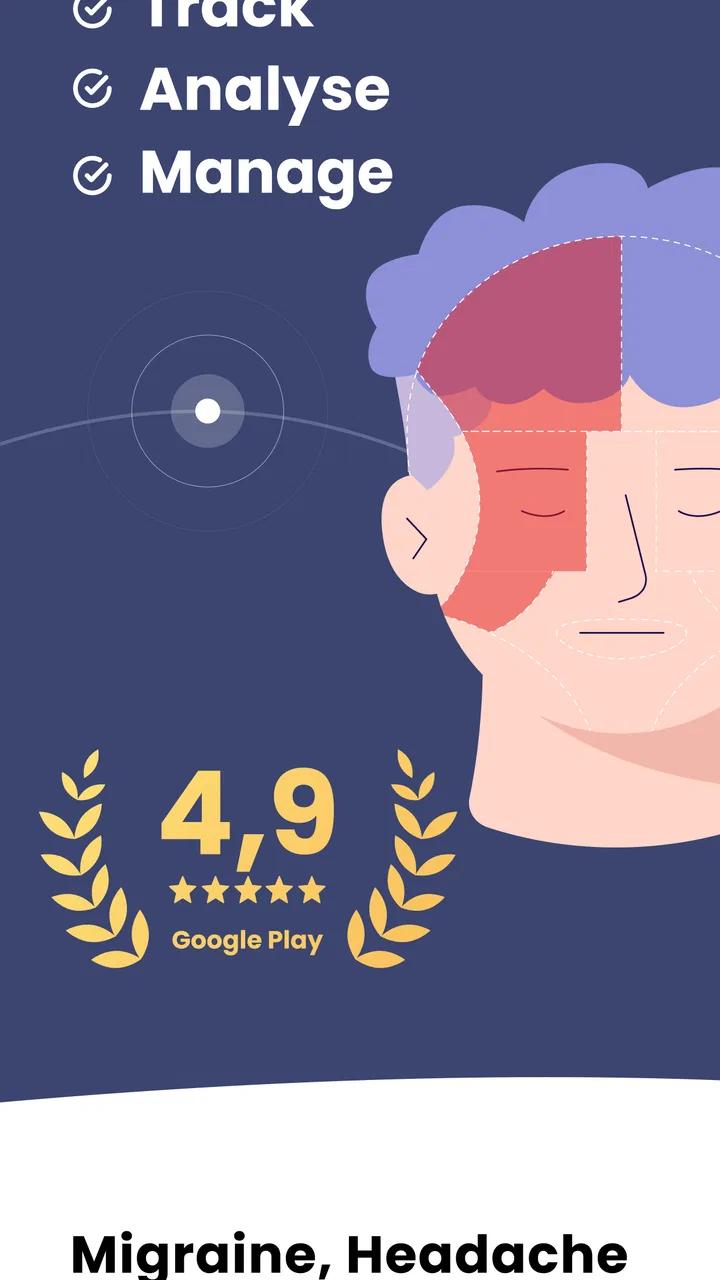
Migraine Buddy: Track Headache
- 4.8
- Rating
- 1.00M
- Installs
- Free
- Price

 Analysis by App-foxy
I live with the kind of headaches that can turn an ordinary morning into a guessing game. Was it poor sleep, a missed meal, stress, weather, or something I did the day before? Migraine Buddy is designed to make that uncertainty easier to examine. It is a medical tracking app from Aptar Digital Health that lets people record migraine and headache experiences, then look back at patterns instead of relying on memory.
After spending time with it, I see its main value less as a quick symptom diary and more as a structured record you can build over time. That distinction matters. It will not diagnose a migraine, replace a clinician, or stop pain by itself. What it can do is help turn scattered experiences into information that may be easier to discuss and act on.
The app is free to install and is suitable for Everyone. It has been available since July 8, 2014, and its current version is 86.0.1768570564 for devices running Android 8.0 or later. Its strong store reception—an average of 4.8 from around 64 thousand ratings, with over 1 million installs—suggests that many people find the tracking approach useful. Still, popularity is not the same as a guarantee that the workflow will suit every person.
You May Also Like

 Blood Strike: 2.5 Anniversary
Blood Strike’s Loadouts Turn Every Drop Into a Tactical Gamble
A close look at Blood Strike’s custom loadouts: how fast access to signature weapons reshapes its battle royale rhythm, rewards preparation, and narrows the gap between fights.

 Pandora - Music & Podcasts
Pandora’s Music Is Easy to Start, but Harder to Recover
Pandora’s strength is its low-effort path from a seed to a station. Its weak spot is how much confidence it asks you to place in connection, setup, and quiet recovery.

 8 Ball Pool
 Is Built on Rivalries, Rematches, and Routine
A close look at the rivalries, rematches, shared routines, and unanswered safety questions that turn a quick pool match into a persistent mobile community.

 Samsung Music
’s Quiet Strength Is Playing What You Already Own
Its reach comes less from spectacle than from dependable access to a personal library. That simplicity is both the app’s strongest retention engine and its ceiling.

 AccuWeather: Weather Radar
AccuWeather Review: A Quick, Clear Forecast for Everyday Decisions
For everyday plans, the best forecast is the one you can understand quickly. AccuWeather makes rain timing, radar, and local conditions easy to act on, with a few trade-offs.

 Hill Climb Racing
Why Hill Climb Racing Still Turns Crashes Into One More Run
A tiny car, a bumpy hill and one more upgrade: Hill Climb Racing keeps resurfacing because its simple chaos makes every near-miss feel personal.
More From Our News Desk



What Migraine Buddy is really useful for
The first thing I noticed is that the app treats a headache as an event with a beginning, an end, and surrounding circumstances. That is more helpful than writing “bad headache” in a notes app. A useful record can include what the episode felt like, when it started, how it developed, and what was happening around it. Over several weeks, those entries can give you something more concrete to review.
This is especially useful when attacks are irregular. If symptoms appear only occasionally, I would struggle to remember the details accurately by the time I saw a doctor. A dedicated tracker encourages me to record closer to the moment, when the information is fresher. Even a short entry can be more valuable than trying to reconstruct an entire month from memory.
I also like the app as a preparation tool for medical appointments. Instead of saying, “I have been getting headaches more often,” I can review the timing and describe the episodes with greater precision. That does not make the app a medical authority, but it can make the conversation with a healthcare professional more focused. The record belongs alongside professional advice, not in place of it.
There is also a practical emotional benefit. Migraine can feel random and uncontrollable, so seeing a history of episodes may help separate what I know from what I merely suspect. A pattern in a diary is not proof of a cause, but it gives me a better starting point for questions. That is a subtle strength: the app supports observation without requiring me to pretend that every correlation is a diagnosis.
How I would use it in everyday life
Imagine a weekday in which a headache begins during a busy afternoon. I would open the app as soon as I could, record the episode while the details were still clear, and add the surrounding context rather than waiting until bedtime. Later, I could review whether similar episodes appeared after comparable routines. The important habit is not filling in a perfect report; it is capturing enough consistent information to make later comparison worthwhile.
For a person who has trouble using a phone during severe pain, the timing of the entry becomes a real trade-off. Recording immediately may be more accurate, but it may also be unrealistic when light and screen interaction are uncomfortable. In that situation, I would make a brief note as soon as possible and complete the record later. A tracking system only works if it is usable on difficult days, not just on calm ones.
Another useful routine is to review the history before changing several lifestyle habits at once. If I remove caffeine, alter my sleep schedule, and change meals on the same day, I may never know what made a difference. A tracker can encourage a slower approach: observe first, change one major factor where practical, and continue recording. That is not a feature claim; it is the sensible way to get more value from the information the app helps collect.
Free access and what paid value means here
The app is free, which makes it easy to try without committing money at the start. That is important in a medical category, where people may already be paying for appointments, prescriptions, or other forms of care. I can begin building a record and decide whether the routine is genuinely useful before considering any optional spending.
There are in-app purchases ranging from $0.99 to $199.99 per item. I would treat that range carefully rather than assuming every user needs to pay or that the most expensive option is automatically worthwhile. The free starting point is the clearest value for someone who wants to test the tracking habit. Paid value should be judged by whether an individual needs the additional experience offered inside the app, not by the existence of a purchase option alone.
For me, the sensible approach is to use the free access long enough to answer a few practical questions: Do I remember to log episodes? Does reviewing them help me prepare for appointments? Does the process feel manageable during real symptoms? If the answer is no, spending more will not fix the underlying habit. If the answer is yes, an optional purchase may be easier to evaluate with a specific purpose in mind.
I would also avoid treating any paid element as a substitute for medical care. The app’s price structure does not change what a symptom tracker can responsibly do. Its value is organizational and observational. A person seeking diagnosis, urgent guidance, or a treatment decision should use an appropriate healthcare service instead.
The strongest parts of the tracking approach
The best part of this app is the way it gives a recurring problem a consistent place to live. A general notes application can technically record anything, but it leaves me to invent the structure every time. A migraine-focused tracker reduces that decision-making. When I am tired or in pain, having a dedicated workflow is more useful than a blank page.
A second strength is the possibility of comparing experiences over time rather than focusing only on the latest attack. This matters because one headache can be misleading. A single episode may follow an unusual day, while a longer record can show whether a suspected trigger appears repeatedly or only once. I would still be cautious about conclusions, but the comparison itself is valuable.
A third, less obvious benefit is communication. Many people minimize symptoms when speaking from memory, especially if they have had a relatively good day by the time an appointment arrives. A written history can preserve the difficult days as well as the manageable ones. That can help a clinician understand frequency and impact more clearly, while also helping the user remember what questions they wanted to ask.
The app can also support a more disciplined approach to triggers. Instead of labeling every uncomfortable day as proof that one food, activity, or circumstance is responsible, I can record the context and wait for repetition. This is one of the most responsible ways to use a tracker: as a prompt for better observation, not as an automatic explanation engine.
Where the experience requires patience
The main limitation is the effort required to maintain a useful record. Tracking sounds simple until a person has to do it repeatedly during pain, fatigue, or a busy schedule. Skipped entries create gaps, and gaps can make later patterns harder to interpret. I would not recommend this app to someone who dislikes logging anything and expects useful conclusions without building a history.
There is also a risk of becoming too focused on the data. A person may start checking every detail for a hidden cause and feel frustrated when no clear pattern appears. Headaches can have several influences, and the absence of an obvious pattern is still possible. The app is most helpful when it supports calm observation rather than encouraging constant self-surveillance.
Another trade-off is that structured tracking may feel restrictive compared with a simple journal. A notes app gives complete freedom to describe unusual symptoms in your own words, while a dedicated medical tracker naturally guides you toward its own categories and workflow. I prefer the dedicated structure for consistency, but someone who needs extensive free-form notes may want to keep a separate journal as well.
Screen use can be a practical obstacle during an attack. Even a well-designed tracker cannot remove the discomfort of opening a phone when light, movement, or concentration is difficult. My workaround would be to enter the minimum needed at the time and finish later, rather than abandoning the record entirely. If using the app becomes another source of stress, its potential benefit is reduced.
Finally, I would not use the app to make urgent decisions about severe or unusual symptoms. A tracker is appropriate for documenting experiences, not for deciding whether a sudden, alarming, or rapidly worsening headache is safe to watch at home. In those situations, professional medical advice takes priority.
Who is likely to get the most value
This app is a strong match for people who experience recurring migraines or headaches and want a clearer history. It is also useful for anyone preparing for a medical appointment, especially when episodes blur together or are difficult to describe from memory. People who enjoy spotting routines, keeping records, and reviewing changes over time will probably find the format rewarding.
It may be particularly helpful for someone who has tried a paper diary but found it inconsistent. A phone-based record is easier to keep available, and a dedicated app removes some of the work of deciding what to write. That convenience only matters if the user is comfortable using a phone as part of symptom management, though.
I would be more cautious about recommending it to someone who wants an immediate cure, a guaranteed trigger explanation, or a completely passive solution. It cannot produce meaningful personal insight without personal entries. I would also suggest considering a simpler notes tool if the person values long narrative descriptions more than structured tracking.
Families and caregivers may find a record useful when helping someone describe recurring symptoms, but the person experiencing the headache should remain central to the account whenever possible. A caregiver’s observations can add context, yet they should not be mistaken for the patient’s own description of pain and symptoms.
How it compares with ordinary alternatives
Compared with a paper diary, the app is more convenient to keep with me and more tailored to headache tracking, while paper may be easier to use away from a screen. Paper also avoids battery and phone-related distractions. The better choice depends on which method I will actually use during difficult days. A theoretically detailed system is less valuable than a modest one that survives real life.
Compared with a general notes app, Migraine Buddy offers a more focused experience. Notes are flexible and excellent for unusual details, but they require more discipline to keep entries consistent. The dedicated approach is better for repeated comparisons; the general journal is better when I want complete control over wording and layout.
Compared with relying on memory, either written method wins. Memory tends to preserve the most recent or most dramatic episode and blur the rest. A tracker cannot guarantee perfect information, but it gives me a better chance of describing the overall pattern honestly. That is the comparison that matters most for many users.
My buy-or-skip verdict
I would recommend trying Migraine Buddy if recurring headaches are difficult to describe, if appointments leave you wishing you had better details, or if you want to examine possible patterns without immediately jumping to conclusions. The free access lowers the barrier to testing the habit, and the app’s established presence, broad adoption, and 4.8 average make it a credible option to explore rather than an obscure experiment.
I would skip it if you are looking for treatment, diagnosis, or an effortless answer to why headaches happen. I would also skip it if logging on a phone feels burdensome enough that you are unlikely to keep doing it. In that case, a small paper card or a plain notes entry may produce more useful information simply because it fits your routine better.
My final view is that Migraine Buddy earns its place as a practical medical diary, not as a replacement for a doctor or a promise of control over migraine. Its real value comes from consistency: recording episodes, reviewing them with restraint, and taking the resulting questions to a qualified professional. If you can maintain that habit, the app can turn vague recollections into a more useful personal history. If you cannot, paying for additional options will not make the record meaningful.
FAQs for Migraine Buddy: Track Headache
01What features does Migraine Buddy offer to help track migraines?
Migraine Buddy provides a comprehensive suite of features to track headaches, including a daily diary, symptom tracking, and weather data integration. It also offers personalized reports and insights, allowing users to identify patterns and potential triggers. Additionally, the app supports medication tracking and allows users to share their migraine history with healthcare providers.
02How user-friendly is Migraine Buddy for tracking my migraine episodes?
Migraine Buddy is designed with user-friendliness in mind, featuring a clean, intuitive interface that makes it easy to log migraine episodes and associated symptoms. Users can quickly input data with just a few taps, and the app provides guided prompts to ensure all relevant information is captured efficiently. The app's design caters to both tech-savvy users and those less familiar with mobile apps.
03Is Migraine Buddy available on both Android and iOS platforms?
Yes, Migraine Buddy is available for download on both Android and iOS platforms. The app is regularly updated to ensure compatibility with the latest operating systems, and it offers seamless synchronization across devices, allowing users to access their migraine data from any smartphone or tablet.
04Can Migraine Buddy help identify migraine triggers and patterns over time?
Migraine Buddy excels at helping users identify migraine triggers and patterns. By logging each episode and associated factors such as diet, sleep, and weather, the app generates detailed reports and insights. These analytics can reveal trends and potential triggers, empowering users to make informed decisions about lifestyle changes to minimize future migraines.
05Is there a community or support feature within Migraine Buddy?
Yes, Migraine Buddy includes community and support features where users can connect with others experiencing similar issues. The app offers forums and discussion groups, fostering a supportive environment for sharing experiences and advice. Additionally, the app provides access to expert resources and articles to help users better understand and manage their migraines.
Pros
- User-friendly interface with intuitive design.
- Comprehensive tracking of triggers and symptoms.
- Customizable reports for better insights.
- Community support for shared experiences.
- Available on both Android and iOS platforms.
Cons
- Some features require a premium upgrade.
- Initial setup can be time-consuming.
- Notifications can be overwhelming at times.
- Limited integration with other health apps.
- Battery consumption is higher during tracking.

Migraine Buddy: Track Headache
Gallery